As someone who frequently finds myself launching surveys for everything from event planning to market research, stumbling across **Formberry** on **AppSumo** was like finding a hidden gem. I had tried various form builders before—each with its own quirks and a hefty price tag—but Formberry seemed different, offering a lifetime deal that piqued my curiosity. Would it truly be a game-changer for creators like us?
Table of Contents
ToggleThe Allure of Affordable Form Building
I recently discovered Formberry, an online form builder that caught my eye for its affordability and ease of use. It’s available on AppSumo, and it positions itself as a strong alternative to popular tools like Typeform and SurveyMonkey. But what makes Formberry stand out? Let’s dive into the details.
Comparison with Other Popular Tools
When comparing Formberry to tools like Typeform and SurveyMonkey, a few key differences emerge:
- Pricing: Formberry offers a one-time payment model, while Typeform and SurveyMonkey typically operate on a subscription basis. This can make a huge difference for small businesses and freelancers who want to keep costs manageable.
- Customization: Formberry provides both basic and advanced customization options. Users can create simple forms or complex surveys with features like conditional logic and workflow automation. This flexibility is something I really appreciate.
- User Experience: Many users find Formberry’s interface intuitive, similar to Typeform’s. However, some have reported technical glitches, which can be frustrating.
Benefits of a One-Time Payment Model
The one-time payment model of Formberry is a game-changer. The first plan is priced at just $39 (originally $180). You can even stack two codes for $78 (originally $360). This pricing structure is particularly appealing in today’s market, where subscription fees can add up quickly.
Imagine paying once and having access to all the features without worrying about monthly bills. It’s like buying a lifetime ticket to a concert series instead of paying for each show. This model not only saves money but also reduces the stress of ongoing payments. As John Doe wisely said,
“Cost-effective solutions often unlock creativity for small businesses.”
Potential for Small Businesses and Freelancers
Formberry is tailored for a diverse audience, including individuals, small businesses, and agencies. The unlimited users, responses, and forms mean that you can scale your operations without incurring extra costs. This is crucial for freelancers who often juggle multiple projects.
Moreover, the platform offers features like translations, custom branding, and file uploads up to 10MB. These capabilities can significantly enhance the user experience and help businesses present a professional image. For instance, you can add your logo and choose your colors, making the forms feel more aligned with your brand.
However, it’s worth noting that some users have expressed concerns about missing features, such as payment gateways. This could be a dealbreaker for educational institutions or businesses that require payment functionalities. But the platform is continually evolving, with new features rolled out weekly, which is a positive sign.
In summary, Formberry is an affordable alternative to established tools. Its one-time payment model is particularly attractive for small businesses and freelancers looking to save money while still accessing powerful form-building capabilities. As I explore the platform further, I’m excited about its potential to unlock creativity and streamline processes for users like us.
Features That Make Formberry Stand Out
When I first stumbled upon Formberry, I was intrigued by its promise of making form creation a breeze. This online form builder, available on AppSumo, is designed to cater to a wide range of users—from individuals to small businesses and agencies. But what really sets Formberry apart? Let’s dive into some standout features.
1. Ease of Use and Design Flexibility
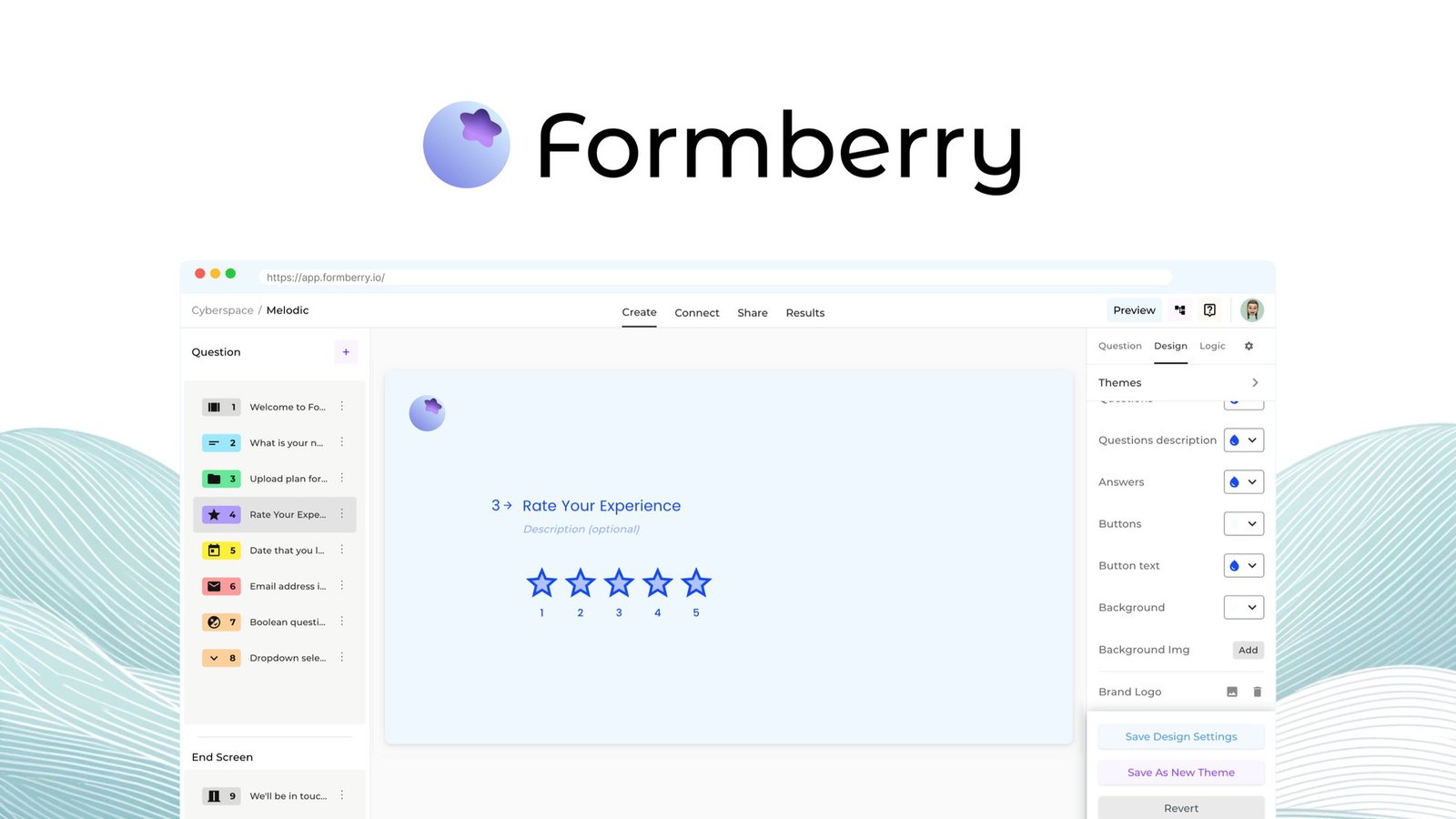
One of the first things I noticed about Formberry is its user-friendly interface. You don’t need to be a tech wizard to create stunning forms. The drag-and-drop functionality makes it easy to add elements and customize them to your liking. Whether you’re building a simple survey or a complex data collection form, the design flexibility is impressive.
Imagine being able to create a form that reflects your brand’s identity without any hassle. As Jane Smith aptly puts it,
“The ability to customize forms truly empowers users to express their brand’s identity.”
With Formberry, you can choose colors, fonts, and even button shapes that align with your brand. This level of customization is often hard to find in other form builders.
2. Advanced Customization Options
Now, let’s talk about advanced features. Formberry offers conditional logic, which allows you to create forms that adapt based on user responses. For instance, if someone selects “Yes” to a question, you can show them a follow-up question while hiding others. This not only streamlines the process but also enhances user experience.
Moreover, the platform supports workflow automation. This means you can set up actions that occur automatically based on user input. Want to send a thank-you email after someone submits a form? Easy! This feature is a game-changer for anyone looking to save time and improve efficiency.
3. Multi-step vs. Linear Form Views
Another feature that caught my attention is the option to choose between multi-step and linear form views. Multi-step forms break down the process into manageable sections. This can reduce overwhelm for users and lead to higher completion rates. On the other hand, linear forms are straightforward and can be ideal for simpler surveys.
Having the flexibility to switch between these views is a significant perk. It allows you to tailor the form experience based on your audience’s needs. Are you targeting busy professionals? A multi-step form might be the way to go. Want something quick and easy for a casual audience? A linear form could fit the bill.
4. Unrestricted Users and File Uploads
Formberry also stands out with its unrestricted users, responses, and forms. This means you can have as many users and responses as you need without worrying about hitting a limit. Plus, the platform supports file uploads of up to 10MB. This is particularly useful for businesses that require document submissions or image uploads.
In a world where many platforms impose strict limits, Formberry’s approach feels refreshing. It allows for greater flexibility and scalability as your needs grow.
5. A Cost-Effective Solution
Lastly, let’s touch on pricing. Formberry offers a one-time payment structure, which I find incredibly appealing. The first plan is priced at just $39, a steal compared to other form builders. And if you want to stack codes for more features, you can access the Pro Plan for $78. This pricing model makes it accessible for individuals and small businesses alike.
With a 60-day money-back guarantee, you can try it out risk-free. This shows that Formberry is confident in its product and is committed to customer satisfaction.
In summary, Formberry is a powerful tool that combines ease of use, advanced features, and flexible design options. Whether you’re creating a simple contact form or a complex survey, this platform has the tools you need to succeed.
Navigating Feedback—The Good and the Bad
When I first stumbled upon Formberry, I was eager to see how it stacked up against other form builders. After diving into user reviews, I found a mix of opinions that painted a vivid picture of the platform’s strengths and weaknesses. Let’s break it down.
1. Overview of User Reviews
Many users rave about Formberry’s ease of use. It’s designed to help anyone create forms without needing a tech background. I found that the interface is intuitive, making it easy to navigate through the features. However, not everything is sunshine and rainbows. Some users reported glitches that can be frustrating. For instance, issues with form duplication have been a common complaint. Imagine needing to create multiple similar forms and hitting a wall every time. That’s a real buzzkill!
2. Common Requests for Missing Features
One of the most significant gaps in Formberry is the absence of payment gateways. Many users, especially those in educational sectors, expressed a need for this feature. They want to streamline registration processes and collect payments seamlessly. Without this, it feels like a missed opportunity. Why would you want to limit your potential users by not offering a basic feature that many competitors have?
- Users want payment integrations for easier transactions.
- Many have asked for the ability to copy forms easily.
- Some are looking for advanced analytics features, like spider charts.
3. Customer Queries Regarding Integrations and Automation
Another recurring theme in the feedback is the desire for better integrations. Users have inquired about connecting Formberry with popular applications like ActiveCampaign. Currently, this integration isn’t available, which can be a dealbreaker for some. It’s like having a great car but no gas to drive it! Automation is another area where users feel Formberry could improve. They want to automate workflows but find the current offerings lacking.
In my exploration, I noticed that users are actively engaging with the platform. They can submit feature requests and track updates on Formberry’s roadmap at formberry.canny.io. This transparency is refreshing. It shows that the company is listening. As Mark Twain once said,
“Listening to customers is the first step to improvement.”
It’s clear that Formberry is on the right track, but there’s still a long way to go.
4. Real-World Usability Scenarios
Highlighting specific user experiences can provide context to new potential users. For example, one user shared how they successfully created a multi-step form for event registration. They praised the design but mentioned the lack of payment options as a significant drawback. Another user expressed frustration over the inability to duplicate forms, which hindered their efficiency.
These real-world scenarios help round out the review. They show that while Formberry has potential, it also has areas that need attention. The overall user rating stands at 3.9/5, reflecting a blend of positive feedback and constructive criticism. It’s a solid rating, but it also indicates that users are looking for improvements.
In conclusion, navigating the feedback around Formberry reveals a platform that is both promising and flawed. While many users appreciate its ease of use and design, the missing features and glitches are significant hurdles. As I consider investing in Formberry, I’m hopeful that the team will continue to listen to their users and make the necessary improvements. After all, a platform that evolves with its users is one that can truly thrive.
The Future of Formberry—Next Steps and Expectations
As I delve deeper into the world of Formberry, I can’t help but feel excited about its future. This online form builder, which I discovered on AppSumo, has been making waves for its user-friendly features and affordability. But what truly stands out is how they are paving the way for a user-driven development model. Let’s explore what this means for us, the users.
User-Driven Development
One of the most intriguing aspects of Formberry is the opportunity for users to submit feature requests. This isn’t just a gimmick; it’s a genuine invitation for us to shape the platform. How often do we find ourselves wishing for a specific feature in a tool we use? With Formberry, we can voice those wishes. The team actively encourages feedback, and I believe this approach is a game-changer.
Imagine being able to influence the direction of a product you use regularly. It’s like being part of a community where your opinions matter. This transparency about development is appealing, especially for long-term users. We want to know that our feedback is valued, and Formberry seems committed to making that happen.
Commitment to Improvement
Formberry’s ongoing commitment to improvement is another significant selling point. They are rolling out new features weekly, which is impressive. This dedication not only enhances the user experience but also signals a responsive support team. Regular updates can reassure us that the platform is evolving and adapting to our needs.
It’s important to note that this commitment is not just about adding new features. It’s about refining existing ones based on user feedback. As Emily Johnson wisely stated,
“User-driven development not only ensures satisfaction but fosters loyalty as well.”
This sentiment resonates deeply with me. When a company listens to its users, it builds trust and loyalty.
The Roadmap Ahead
Formberry has made it easy for users to view their roadmap. This feature is a breath of fresh air in the tech world. We often feel left in the dark about what’s coming next. But with Formberry, we can see the planned features and updates. This level of transparency is not just refreshing; it’s essential for building a loyal user base.
As we look ahead, I can’t help but wonder what features will be added next. Will they finally address the requests for better form duplication? Or perhaps integrate with popular applications like ActiveCampaign? The possibilities are exciting, and knowing that we can influence these decisions makes it even better.
Importance of User Feedback
In shaping future updates, user feedback is paramount. Formberry understands this well. They have created a feedback cycle that feels active and engaging. Users can submit their thoughts and track the progress of their requests. This level of interaction is not something we see often, and it makes me feel more connected to the platform.
Moreover, the ability to voice our opinions and see them reflected in updates fosters a sense of community. It’s not just about using a tool; it’s about being part of a journey. And let’s be honest, who doesn’t want to feel like they have a stake in the products they use?
In conclusion, I am genuinely optimistic about the future of Formberry. The combination of user-driven development, a commitment to continuous improvement, and the importance placed on user feedback creates a solid foundation for growth. While there are areas that need attention, the potential for this platform is immense. If you’re considering a form-building solution, I encourage you to check out Formberry. With a lifetime deal available for just $39, it’s an opportunity you might not want to miss. You can find more details through my affiliate link: Formberry Lifetime Deal Review. Let’s see where this journey takes us!
TL;DR: Formberry is an affordable online form builder with a one-time payment structure, offering advanced features and customization options; while it has potential, some technical issues and feature gaps still need addressing.